
What Is an APK File? Everything You Need to Know (2026 Guide)
Description
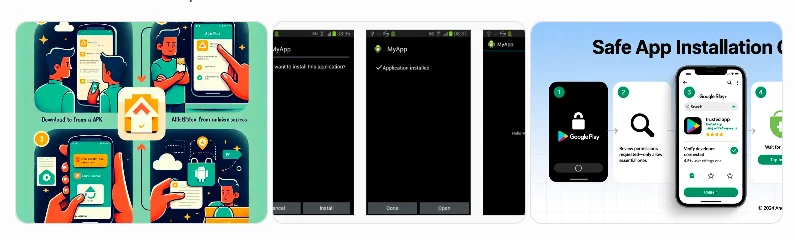
What Is an APK File? Everything You Need to Know
If you’ve ever downloaded an Android app from outside the Google Play Store, you’ve probably come across the term APK file. Many users install APK files every day, but not everyone understands what they are or how they work.
This guide explains what an APK file is, why Android uses APKs, how they differ from Play Store downloads, and the safest way to install them. Whether you’re new to Android or simply curious about APK files, this article covers everything you need to know in simple language.
What Is an APK File?
An APK (Android Package Kit) is the standard file format used to install applications on Android devices. Think of it as the installation package for an Android app.
When you install an app from the Google Play Store, your phone downloads and installs an APK automatically in the background. If you download the same app from another trusted source, you’ll receive the APK file directly and install it yourself.
Every Android application starts as an APK before it becomes available on your device.
How Does it Work?
An APK file contains everything required for an app to function correctly, including:
- Application code
- Images and icons
- Audio and video resources
- App permissions
- Configuration files
- Security certificates
- Manifest file containing app information
When you open an APK file, Android verifies it, extracts its contents, and installs the application onto your device.
Why Do People Use it?
Many Android users prefer APK files because they provide flexibility beyond the Google Play Store.
Common reasons include:
- Installing apps unavailable in certain countries
- Accessing older app versions
- Getting updates before Play Store rollout
- Installing apps on devices without Google Play Services
- Testing beta applications
- Installing business or enterprise applications
APK files give users greater control over app installation.
Advantages
Using APK files offers several benefits.
Access Apps Earlier
Developers sometimes release APK versions before Play Store updates become available worldwide.
Install Region-Locked Apps
Some applications are unavailable in specific countries. APK files may allow users to install apps that are otherwise inaccessible, provided doing so complies with the app provider’s terms.
Keep Older Versions
If a new update causes compatibility issues, you may be able to install an older version of the app.
Easy Backup
APK files can be stored as backups and reinstalled later if needed.
Greater Installation Control
Users decide when and how applications are installed instead of waiting for automatic updates.
Is this types of Files Safe?
APK files themselves are not dangerous. Their safety depends entirely on where they come from.
APK files downloaded from official developers or reputable sources are generally much safer than files shared through unknown websites or messaging apps.
To stay safe:
- Download only from trusted websites
- Avoid modified or cracked apps
- Scan files with antivirus software
- Check app permissions before installing
- Keep Android security updates enabled
- Verify the developer whenever possible
Being cautious greatly reduces the risk of installing harmful software.
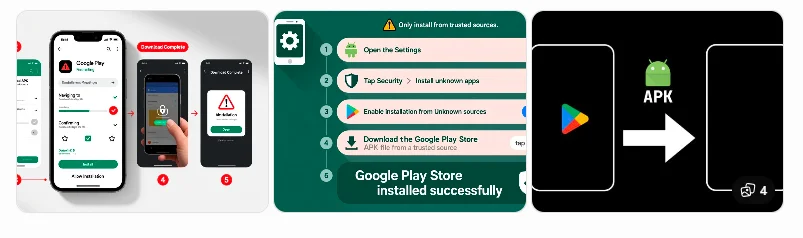
Risks of Installing Untrusted APK Apps / Files
Downloading APKs from unreliable sources can expose your device to several risks.
Possible issues include:
- Malware infections
- Spyware
- Data theft
- Fake applications
- Excessive permissions
- Poor performance
- Security vulnerabilities
These risks highlight the importance of downloading only from trustworthy sources.
Apk Apps / Files vs Google Play Store
| Feature | APK Apps / File | Google Play Store |
|---|---|---|
| Installation | Manual | Automatic |
| Security Checks | Depends on source | Google verification |
| Updates | Manual | Automatic |
| Availability | Wider access | Region restrictions may apply |
| User Control | High | Standard |
| Ease of Use | Moderate | Very Easy |
Both methods have advantages, but the Play Store generally provides the simplest and most secure experience for most users.
How to Install an APK Apps / File
Installing an APK is straightforward.
Step 1
Download the APK from a trusted website.
Step 2
Open Settings on your Android device.
Step 3
Allow installation from trusted sources if prompted.
Step 4
Locate the downloaded APK in your Downloads folder.
Step 5
Tap the file and follow the on-screen installation instructions.
Step 6
Launch the app after installation is complete.
How to Check Whether an APK Is Safe
Before installing any APK:
- Verify the website’s reputation.
- Confirm the app developer.
- Check the file size for anything unusual.
- Read user reviews if available.
- Scan the file with reputable antivirus software.
- Avoid APKs promising free premium features or cracked versions.
Taking a few minutes to verify a file can help protect your device and data.
Common APK Installation Problems
Sometimes APK installation doesn’t work as expected.
Common causes include:
App Not Installed
The APK may be incompatible with your Android version or device.
Parse Error
The APK might be corrupted or incomplete.
Blocked Installation
Your device may require permission to install apps from outside the Play Store.
Signature Conflict
An existing installed version of the app may have a different signing certificate.
Insufficient Storage
Free up space before attempting installation again.
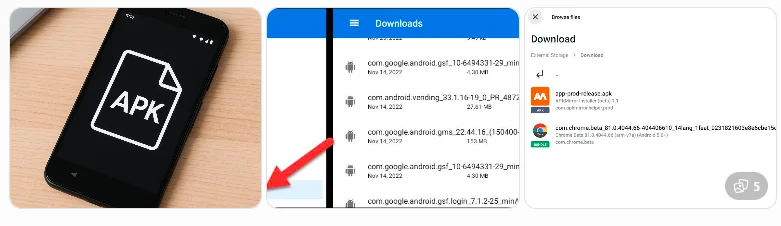
Can iPhone Install APK Apps / File?
No.
APK files are designed exclusively for Android devices. iPhones use a different application format and cannot install APK files.
Frequently Asked Questions
What is an APK Apps / Files used for?
An APK file is used to install Android applications manually without using the Google Play Store.
Is installing APK Apps / Files legal?
Installing APK files is generally legal when the app is distributed by the developer or another authorised source and you comply with applicable terms and laws.
Are Apk Apps / Files free?
Many APK files are free because they contain free applications. Some apps require payment or subscriptions regardless of the installation method.
Can APK Apps / Filescontain viruses?
Yes. APK files from untrusted sources can contain malware or other harmful software, so always use reputable sources.
Do APK files update automatically?
Normally, APK-installed apps do not update automatically unless they are later managed through an app store or the developer provides an update mechanism.
Can I uninstall an APK-installed app?
Yes. APK-installed apps can usually be removed like any other Android application through your device settings.
Final Thoughts
Understanding what an APK file is helps you make informed decisions when installing Android applications. APK files provide flexibility, access to apps outside the Play Store, and greater control over app management. However, that flexibility comes with responsibility.
Always download APK files from trusted sources, verify the developer, review permissions, and keep your device updated. By following these simple safety practices, you can enjoy the benefits of APK installation while reducing potential security risks.
Read last article about APK Files and installation